secure baby monitor from hackers: How Hackers Break In (And How to Stop Them 2026)
Table of Contents
When a Washington couple heard profanities being screamed at their toddler through their baby monitor in November 2016, they discovered what thousands of families have learned the hard way: secure baby monitor from hackers isn’t just possible—it’s happened repeatedly to unsuspecting parents across the country. More recently, in 2025, the FBI investigated a case in Austin, Texas where a family called police after their Wi-Fi baby monitor was hacked despite changing the factory password.
These aren’t isolated incidents. They represent a growing cybersecurity threat that every parent with an internet-connected baby monitor needs to understand. As a grandmother who’s watched nursery technology evolve from simple audio receivers to sophisticated smart cameras, I’ve researched extensively how these breaches occur and—more importantly—how you can prevent them.
This comprehensive guide explains exactly how baby monitor hacking works, which devices are most vulnerable, and the specific steps you can take today to protect your family from unauthorized access. For broader context on monitor safety including EMF exposure concerns, see our complete guide on Are Wi-Fi Baby Monitors Safe?
How Do Hackers Actually Access Baby Monitors?
Understanding the attack methods is your first step toward prevention. Hackers exploit five primary vulnerabilities when targeting baby monitors:
1. Default or Weak Passwords: The Easiest Entry Point
The credentials can be retrieved through a simple google search, be stated in the product manual, be the easily guessable pair of “admin” and “admin,” or some other equally ingenious word combination.
Once a hacker zeroes in on one specific device, they try to access it with default credentials, which many parents leave in place after setting up the device, leaving a door to their smart homes virtually open.
The Scale of This Problem: Security researchers routinely find thousands of baby monitors still using factory-default passwords like “admin/admin,” “admin/password,” or “1234.” These credentials are publicly documented in product manuals available online, making them the first thing hackers attempt.
Even parents who change passwords often choose weak alternatives like their child’s name, birthdates, or simple sequences that can be guessed through basic social engineering.
2. Unsecured Home Wi-Fi Networks
Your baby monitor is only as secure as the network it’s connected to. It often does not start with the baby monitor, but with an unsecured router or any other unsecured internet-connected device on your home network.
The Router Vulnerability Chain:
Your router stores the settings for your home network to which smart devices are connected. To gain access, an intruder needs to know its IP address, as well as your remote access password and login credentials.
For most routers, the default username and password are ‘admin.’ Using one of the search engines like Shodan, hackers can hack your router and hijack your home network, gaining access to all the devices connected to it.
Encryption Matters:
- WEP encryption: Obsolete and easily cracked in minutes
- WPA encryption: Vulnerable to sophisticated attacks
- WPA2 encryption: Minimum acceptable standard
- WPA3 encryption: Current best practice for maximum security
If your router still uses WEP or basic WPA, you’re essentially leaving your front door unlocked for anyone with basic hacking tools.
3. Credential Stuffing: The 10-Minute Hack
This technique represents one of the most efficient modern hacking methods, and it’s shockingly simple.
How It Works:
A hacker named SydeFX found 300 vulnerable Nest cams in under 10 minutes. His trick? A pretty easy one: It’s called credential stuffing, or using previously exposed username and password combos on fresh targets.
Attackers gather massive databases of leaked username and password combinations from previous data breaches—think the Equifax breach, Yahoo breach, LinkedIn breach, and thousands of others. They then use automated tools to test these stolen credentials against baby monitor accounts, banking on the fact that most people reuse passwords across multiple services.
The Devastating Math:
Even with only a 1-3% success rate, testing millions of credentials daily means thousands of successful account takeovers. The Nest hacks point to an emerging strategy from malicious hackers called “credential stuffing,” in which usernames and passwords from previous data breaches are used to access otherwise secure systems.
Check Your Exposure: Visit haveibeenpwned.com and enter your email address to see if your credentials have been exposed in known data breaches. If your email appears, any password associated with that email is potentially compromised and should never be reused on your baby monitor account.
4. Unencrypted Data Streams
Many baby monitors, particularly older IP cameras, transmit video and audio feeds without proper encryption. This means data travels across the internet in plain text that can be intercepted and viewed by anyone monitoring network traffic.
The Technical Reality:
Some monitors use Internet portals that easily allow access if you guess the device’s serial number. They also connect to portals with default passwords and lack secure encryption when transmitting to the internet. This basically makes it very easy for the lowlifes to find a way in.
Without end-to-end encryption, your baby’s video feed could be captured in transit, even if the monitor itself is password-protected.
5. Vulnerable Firmware: The Backdoor You Don’t Know About
There are hidden accounts inside many baby monitors that can be exploited by hackers to spy on our kids. These accounts are intended for administration or support.
The Update Problem:
An issue that lies outside a user’s direct control is that a baby monitor’s software can be infested with bugs and the manufacturer may not release timely updates, paving the way for attackers to exploit vulnerabilities.
A vulnerability in a popular Wi-Fi-enabled video baby monitor discovered by researchers from Bitdefender and PCMag allowed malefactors to access live footage, take screenshots, play music and learn the device ID. The vulnerability stemmed from misconfigured cloud storage permits, due to which everyone with access to one baby monitor could gain access to all the videos and photos stored by all other baby monitors of the same make and type.
This terrifying example shows how a single software flaw can compromise not just one family but thousands simultaneously.
The Reality of Analog Baby Monitor Vulnerabilities
While most hacking discussions focus on WiFi monitors, even non-internet devices aren’t completely safe from local interference.
If you have an old-school analog baby monitor, a perv can hijack your frequency like it’s a CB or a walkie-talkie. Then he can do whatever he wants. Growl. Curse. Tell scary stories. These guys are seriously demented.
The Saving Grace:
But the “dumbness” of your old-fashioned baby monitor is also its saving grace. The older-tech equipment requires a degree from Radio Shack and parts you might need to mail order these days.
The critical difference: analog monitor hacking requires physical proximity and specialized equipment, while WiFi monitor hacking can be performed from anywhere in the world by anyone with basic technical knowledge and internet access.
Which Baby Monitors Are Most at Risk?
Not all monitors present equal vulnerability. Understanding risk levels helps you make informed purchasing decisions.
Highest Risk: Internet-Connected Models Without Security Features
Red Flags:
- No two-factor authentication (2FA) option
- Manufacturers with poor track record of security updates
- Monitors requiring cloud storage for basic functionality
- Devices sold without security documentation or setup guidance
- Budget models from unknown brands with no security certifications
Extensive studies and research has now been performed on baby monitor security. All of these Baby Monitors were found in case studies to have one or more security vulnerabilities. Issues include: predictable information leaks, backdoor credential leaks, authentication bypass abilities, direct browsing capabilities, and privilege escalation.
Medium Risk: Quality WiFi Monitors with Proper Configuration
Premium brands like Nanit, Nest, and high-end Motorola models offer robust security—but only when users actually enable and maintain security features. Even the most secure monitor becomes vulnerable with weak passwords or disabled 2FA.
Lowest Risk: Non-WiFi Digital Monitors
Digital Baby Monitors are not as high tech as WiFi Monitors. You cannot view the feed online with a smartphone, tablet, or computer like with WiFi. Therein lies the problem. The more “accessible” the feed is, the more chances someone has of finding a way in.
Some non-WiFi baby monitors use frequency-hopping spread spectrum (FHSS) technology that switches frequencies by the millisecond, rendering them virtually hack-proof from remote attacks.
For comprehensive reviews of secure alternatives, see our guide to the best non-WiFi baby monitor options that eliminate internet-based vulnerabilities entirely.
How to Stop Hackers Before They Strike
Prevention is simpler and more effective than recovery. Follow these essential security steps:
Step 1: Change Default Credentials Immediately
Never Skip This Critical Step:
The most sensible thing to do is change default credentials of both the router and the baby monitor as soon as you set them up. While this will no doubt protect you from less sophisticated attacks, it does not necessarily mean you’re out of the woods yet.
Create a Strong, Unique Password:
- Minimum 12 characters
- Mix uppercase, lowercase, numbers, and symbols
- No personal information (names, birthdates, addresses)
- Never reuse passwords from other accounts
- Use a password manager to generate and store complex credentials
Action Item: Change your password RIGHT NOW if you’re still using defaults or a weak password. This single step eliminates the most common attack vector.
Step 2: Enable Two-Factor Authentication (2FA)
If your baby monitor supports 2FA, enabling this feature dramatically improves security. Even if a hacker obtains your password through credential stuffing or a data breach, they cannot access your account without the second authentication factor—typically a code sent to your phone.
Why It Matters:
Two-factor authentication adds a critical layer, requiring a unique code beyond your password—essential for blocking unwanted logins. This simple feature prevents the vast majority of remote hacking attempts.
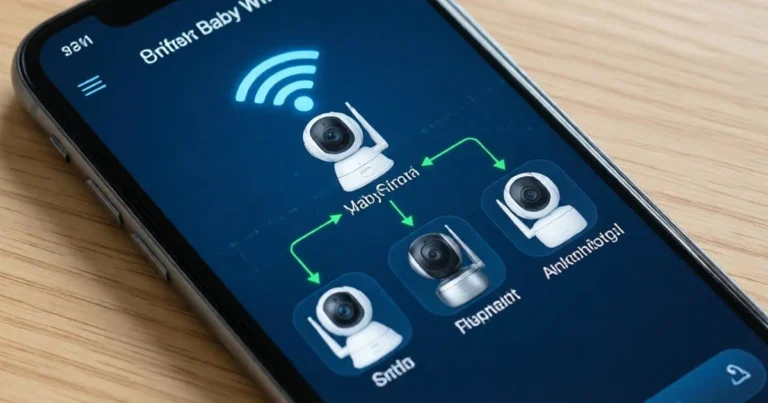
Step 3: Isolate Your Monitor on a Guest Network
Create a separate guest network on your router specifically for IoT devices like baby monitors. This isolation strategy means that even if your monitor is compromised, hackers cannot access your main network where your computers, phones, and sensitive data reside.
Setup Steps:
- Log into your router’s admin panel
- Navigate to wireless settings
- Enable guest network feature
- Create a unique network name (SSID) and strong password
- Connect only your baby monitor and similar IoT devices to this network
Step 4: Disable Remote Access When Not Needed
Disable remote access to your baby camera. It’s convenient but unnecessary. And if you don’t have an unlimited data plan, it’s going to be expensive, too. Sending video feeds over the internet to a phone eats up a lot of data.
If you only monitor your baby while at home, there’s no reason to enable internet-based remote viewing. Local network access provides the functionality you need without the internet-based vulnerabilities.
When You Must Use Remote Access: Only enable this feature when actually traveling or away from home, then disable it immediately upon return.
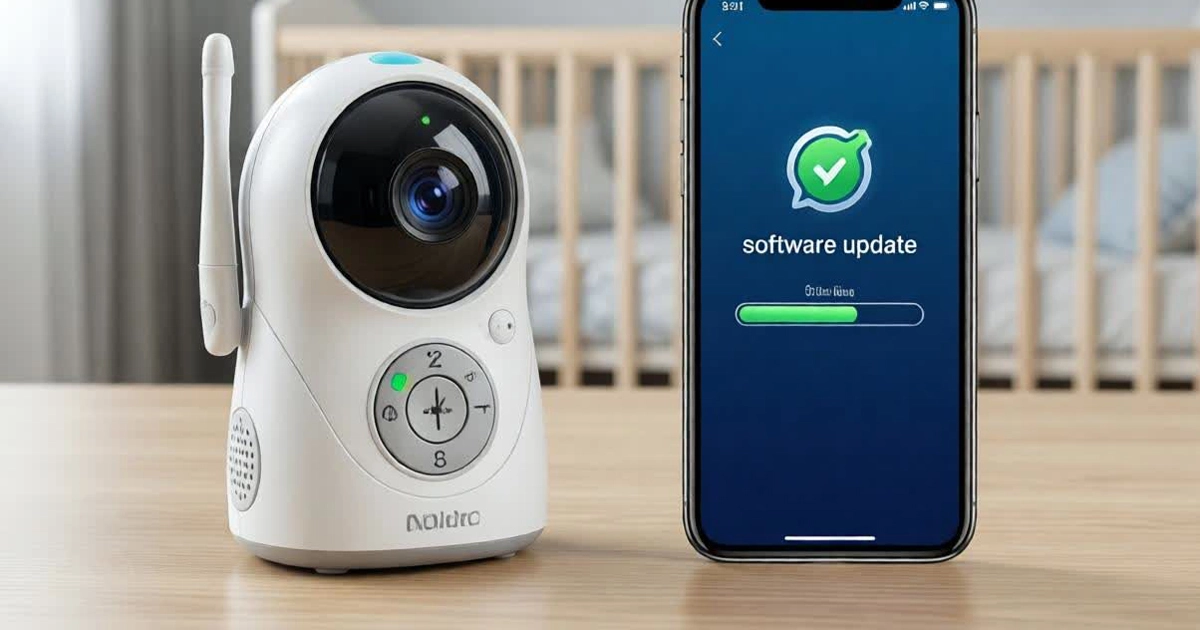
Step 5: Keep Firmware Updated Religiously
Outdated firmware is the #1 exploit path for sophisticated hackers. Manufacturers release security patches to address newly discovered vulnerabilities, but these patches only protect you if you actually install them.
Update Strategy:
- Enable automatic updates if available
- Set monthly calendar reminder to manually check for updates
- Subscribe to manufacturer security bulletins
- Replace monitors from brands that stop providing security updates
Warning Sign: If your monitor manufacturer hasn’t released a firmware update in over 12 months, strongly consider replacing it with a currently-supported model.
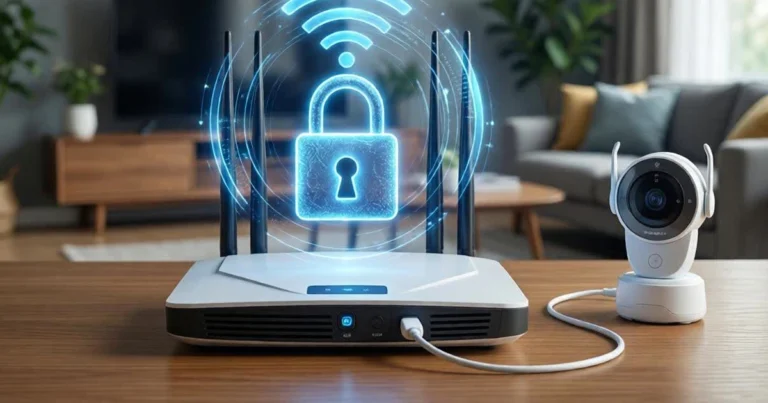
Step 6: Secure Your WiFi Router
Your router is the gateway to every device on your home network. Change your SSID (network name) and Wi-Fi password. Use something unique and avoid using personal information. Enable WPA2 or WPA3 encryption. Disable WPS (Wi-Fi Protected Setup). Change the router admin password. Disable UPnP (Universal Plug and Play).
Router Security Checklist: ✅ Change default admin credentials ✅ Enable WPA3 encryption (or WPA2 minimum) ✅ Disable WPS (known security vulnerability) ✅ Disable UPnP unless specific devices require it ✅ Turn off remote management unless necessary ✅ Keep router firmware updated ✅ Hide SSID broadcast (optional additional layer)
For detailed security configuration steps, see our comprehensive guide: How to Secure Your Baby Monitor in 5 Easy Steps
Step 7: Turn Off When Not in Use
This simple habit reduces both hacking vulnerability and EMF exposure. When someone is physically present with your baby, power down the monitor.
Use VOX (voice-activated) mode to auto-activate only when baby cries, dramatically reducing transmission time and the window of opportunity for potential hackers.
When Non-WiFi Is the Smart Choice
After reviewing all these security requirements, many parents reasonably ask: is the convenience of WiFi monitoring worth the security complexity and ongoing vigilance required?
The Closed-Loop Advantage:
Non-WiFi digital monitors using DECT or FHSS technology operate on closed systems with no internet connectivity. This fundamental architecture means:
- Zero remote hacking risk: Attackers cannot access your monitor from across the country or world
- No credential stuffing vulnerability: No online accounts mean no stolen passwords to exploit
- No firmware update requirements: Simpler technology requires less maintenance
- Complete privacy: Your baby’s video feed never touches the internet or cloud storage
The Trade-Off:
You lose remote access capabilities when away from home. For many families, this is an acceptable sacrifice for guaranteed privacy and simplified security.
Top Secure Alternatives:
Models like the Infant Optics DXR-8 PRO, Eufy SpaceView Pro, and Babysense HD S2 provide excellent video monitoring with superior security through their closed-loop, non-internet architecture.
For comprehensive comparisons, explore our detailed review of the best non-WiFi baby monitor models that provide peace of mind without security complexity.
Real-World Security: What Actually Works
Simply having a video baby monitor in the house doesn’t immediately open up a window to the world. If you treat your baby monitor with the same vigilance as your phone, laptop, and tablet, you should be OK.
The Bottom Line:
There isn’t anything inherently dangerous about baby monitors that aren’t true for all the devices on your home network. The difference is that the temptation to prank maliciously is much higher, and the creep factor is extra high.
The key is consistent, proactive security habits. Hackers target the easiest victims—monitors with default passwords, unsecured networks, and outdated firmware. By implementing the steps outlined above, you move from “easy target” to “too much trouble,” causing hackers to move on to more vulnerable victims.
Conclusion: You Can’t Eliminate All Risk—But You Can Remove the Easiest Targets
secure baby monitor from hackers is real, documented, and preventable. While you cannot achieve 100% security with any internet-connected device, you can reduce your risk to near-zero through:
- Immediate password changes to strong, unique credentials
- Two-factor authentication wherever supported
- Network isolation for IoT devices
- Regular firmware updates to patch vulnerabilities
- Disabling unnecessary features like remote access when home
- Considering non-WiFi alternatives that eliminate internet-based threats entirely
The goal isn’t paranoia—it’s preparedness. Understanding how hackers operate empowers you to defend against their methods effectively.
Your family deserves both the convenience of modern monitoring technology and the security of knowing no stranger can access your baby’s room. With the right precautions—or the right monitor choice—you can have both.
Remember: the easiest way to prevent secure baby monitor from hackers is choosing a monitor that cannot be hacked remotely in the first place. Explore the best non-WiFi baby monitor options that provide excellent surveillance without internet vulnerabilities, giving you true peace of mind.
Frequently Asked Questions
How do hackers access baby monitors?
Hackers access baby monitors primarily through weak or default passwords, unsecured home Wi-Fi networks, credential stuffing using stolen passwords from data breaches, and unpatched firmware vulnerabilities. The most common method is simply trying default credentials like “admin/admin” that many parents never change.
Can hacked baby monitors be fixed?
Yes, most hacked monitors can be secured through immediate action: unplug the device, factory reset it, change all credentials to strong unique passwords, update firmware to the latest version, and secure your home network. However, if the manufacturer no longer supports security updates, replacement with a currently-supported or non-WiFi model is recommended.
Should parents stop using WiFi baby monitors?
Not necessarily—but only if you commit to following strict security practices including strong unique passwords, two-factor authentication, regular firmware updates, and network isolation. If maintaining these security measures feels overwhelming or you want guaranteed peace of mind, switching to a non-WiFi monitor eliminates remote hacking vulnerabilities entirely.
How can I tell if my passwords have been exposed in data breaches?
Visit haveibeenpwned.com and enter your email address to see if your credentials appear in known data breaches. If your email is listed, assume any passwords associated with that email are compromised and should be changed immediately—especially on your baby monitor account.
What should I do first to secure my baby monitor right now?
Change the default password immediately to a strong, unique credential of at least 12 characters mixing uppercase, lowercase, numbers, and symbols. This single action eliminates the most common vulnerability that hackers exploit first.
About the Author
Gran Aggie is a grandmother, parenting blogger, and cybersecurity advocate who combines decades of parenting experience with extensive research into digital safety threats. Originally from Scotland, married to an Australian, and now living in Chicago, she has witnessed the evolution of baby monitoring technology from simple audio devices to complex internet-connected systems. After researching FBI investigations, interviewing security experts, and analyzing documented hacking incidents, Gran Aggie provides practical, actionable guidance to help modern families protect their privacy without sacrificing the benefits of monitoring technology. Her mission is ensuring every parent understands cyber threats and knows how to defend against them effectively.